Tuesday, February 12, 2013
Nokia 1110 1110i 1112 1600 Ringer Problem Solution
If Ringer working but Speaker does not work, Here is solution... Tested many times


DIAGRAM 2
Nokia 1110,1110i,1112, 1600 Ringer Problem Solution
Nokia 1110,1110i,1112, 1600 Ringer Problem
Nokia 1110,1110i,1112, 1600 Ringer Not Working
Nokia 1110,1110i,1112, 1600 Ringer Solutins

Monday, February 11, 2013
HOW TO RESET A NOKIA LUMIA 800
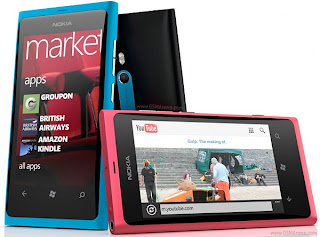 HOW TO RESET A NOKIA LUMIA 800:
You May Call As:
HOW TO RESTORE A NOKIA LUMIA 800:
You May Call As:
HOW TO FORMAT NOKIA LUMIA 800:
You May Call As:
HOW TO MASTER RESET NOKIA LUMIA 800:
You May Call As:
HOW TO FACTORY RESET NOKIA LUMIA 800:
You May Call As:
HOW TO HARD RESET NOKIA LUMIA 800:
You May Call As:
HOW TO FULL RESET A NOKIA LUMIA 800:
You May Call As:
HOW TO FULL RESTORE A NOKIA LUMIA 800:
You May Call As:
HOW TO MASTER RESTORE NOKIA LUMIA 800:
You May Call As:
HOW TO MASTER RESET NOKIA LUMIA 800:
You May Call As:
HOW TO FULL FACTORY RESET NOKIA LUMIA 800:
You May Call As:
HOW TO HARD FORMAT NOKIA LUMIA 800:
Important:
* Please Do Not Reset Your Mobile Without Any Unrecoverable Difficulty.
** Hard Reset Will Erase All User Data From Your Nokia LUMIA 800.
So Keep In Mind To Back Up Your Important Data Before Hard Reset.
*** Please Fully Charge Your Phone Battery before Reset Because Any Power Failure May Damage
Mobile Permanently.
****Some Times Reset Can Damage Your Mobile.
FOLLOW THESE INSTRUCTION SHOWN IN THE IMAGE:

1. Press Power Button and Volume and Camera Button at a time until Phone Vibrate.
2. Now Release Power Button but Continue Pressing Volume down and Camera key until Phone Logo appear on the screen.
3.Wait for Complete Process and after Complete the Phone will Restart.
Sunday, February 10, 2013
Nokia 1200 1208 1209 1650 Contact Service Solutions
SOLUTION 1 :

SOLUTION 2 :
Here is solution for nokia 1650 contact service.use jaf latest version like 1.98.57
1st erase fully.
then flash after selecting 4 options
1-factory set
2-manual flash
3-warranty
4-unlock
use version 5.32
and then hit flash button.
then work as software ask u.
in the end set will b ok.
in some cases pm have to b write also
done
Search tags :
Nokia 1200 1208 1209 1650 Contact Service Solutions
Nokia 1200 1208 1209 1650 Contact Service Problem
Saturday, February 9, 2013
How to reset Huawei G7206
 When you are going to handover your phone to other person, you need to clear your saved personal data. Or when you are going to sell your used phone, you need to remove all data and your personal phone setting. This is called resetting phone. Sometimes resetting is needed when some difficulties occur with the phone such phone became very slow,or freeze, or phone shows abnormal behavior. Some times resetting can save your money by prohibiting you from purchasing a new phone.
There are two types of resetting and one is soft reset and another is hard reset. Soft reset can change your personal phone setting but hard reset can erase all data such all personal data and installed application. Hard reset can bring phone to its original state. Resetting can be called as many ways, Here I’ll show you how to reset Huawei G7206 . And some one ask as following ways: How to restore Huawei G7206 . How to factory reset Huawei G7206 . How to factory restore Huawei G7206 . How to format Huawei G7206 . How to master reset Huawei G7206 . How to soft reset Huawei G7206 . How to full reset Huawei G7206 . How to full restore Huawei G7206 . How to full erase Huawei G7206 . All Data Will Be Lost ! Back Up Your Data Before Doing Hard Reset.
Hard Resetting Huawei G7206
After fully charged battery take the the sim card
On dialling screen type these code ##258741 then press call button.
After few seconds hard rerest will start.
** Do not hard reset if you really need it.
** Sometimes hard reset may damage your device permanently.
** Do not forget to back up your useful date before hard reset because hard reset will erase all data from your phone including installed applications.
Friday, February 8, 2013
HOW TO RESET NOKIA 5610 XPRESSMUSIC
 If you face some difficulty with your NOKIA 5610 XPRESSMUSIC such it is very slow or it is hanging and NOKIA 5610 XPRESSMUSIC shows any unexpected behavior.If there is a problem with any installed application such installed application is not work or is not supported by NOKIA 5610 XPRESSMUSIC and which you cannot uninstall. When NOKIA 5610 XPRESSMUSIC is not working properly or not responding quickly you may have to reset it. It is advisable to execute soft reset first and if soft reset could not solve your problem then you need to hard reset. Many cell phone company gives user the opportunity to hard reset their mobile by may way and many mobile users say hard reset as many names which described below
HOW TO RESET NOKIA 5610 XPRESSMUSIC :
You May Call As:
HOW TO RESTORE NOKIA 5610 XPRESSMUSIC :
You May Call As:
HOW TO FORMAT NOKIA 5610 XPRESSMUSIC :
You May Call As:
HOW TO MASTER RESET NOKIA 5610 XPRESSMUSIC :
You May Call As:
HOW TO FACTORY RESET NOKIA 5610 XPRESSMUSIC :
You May Call As:
HOW TO HARD RESET NOKIA 5610 XPRESSMUSIC :
You May Call As:
HOW TO FULL RESET A NOKIA 5610 XPRESSMUSIC :
You May Call As:
HOW TO FULL RESTORE A NOKIA 5610 XPRESSMUSIC :
You May Call As:
HOW TO MASTER RESTORE NOKIA 5610 XPRESSMUSIC :
You May Call As:
HOW TO MASTER RESET NOKIA 5610 XPRESSMUSIC :
You May Call As:
HOW TO FULL FACTORY RESET NOKIA 5610 XPRESSMUSIC :
You May Call As:
HOW TO HARD FORMAT NOKIA 5610 XPRESSMUSIC :
You May Call As:
You May Call As:
HOW TO RESTORE NOKIA 5610 XPRESSMUSIC :
You May Call As:
HOW TO FORMAT NOKIA 5610 XPRESSMUSIC :
You May Call As:
HOW TO MASTER RESET NOKIA 5610 XPRESSMUSIC :
You May Call As:
HOW TO FACTORY RESET NOKIA 5610 XPRESSMUSIC :
You May Call As:
HOW TO HARD RESET NOKIA 5610 XPRESSMUSIC :
You May Call As:
HOW TO FULL RESET A NOKIA 5610 XPRESSMUSIC :
You May Call As:
HOW TO FULL RESTORE A NOKIA 5610 XPRESSMUSIC :
You May Call As:
HOW TO MASTER RESTORE NOKIA 5610 XPRESSMUSIC :
You May Call As:
HOW TO MASTER RESET NOKIA 5610 XPRESSMUSIC :
You May Call As:
HOW TO FULL FACTORY RESET NOKIA 5610 XPRESSMUSIC :
You May Call As:
HOW TO HARD FORMAT NOKIA 5610 XPRESSMUSIC :
You May Call As:
NOKIA 5610 XPRESSMUSIC FACTORY RESETTING:
Soft resetting:
Soft resetting can restore Nokia 5610 XpressMusic user setting and soft reset will not erase any data like image,sound,video.
Press *#7780# on the screen and after few seconds soft reset will start.
Hard resetting:
This option restores the original operating system from the rom. Formats the c: partition and deletes all data like picture,sound,video including any installed application.
Press *#7370# on the screen and after few seconds you may put the security code and resetting process will begin.
You can also achieve total reset by pressing and holding down following keys:
* + 3 + green button (call) immediately after turning the mobile on.
Important:
* Please do not reset your Nokia 5610 XpressMusic without any unrecoverable difficulty.
** Hard reset will erase all user data from your Nokia 5610 XpressMusic.
So keep in mind to back up your important data before hard reset.
*** Please fully charge your Nokia 5610 XpressMusic battery or plug in to charger before reset your Nokia 5610 XpressMusic because any power failure may ruin your Nokia 5610 XpressMusic permanently.
**** Some times reset can damage your Nokia 5610 XpressMusic.
Thursday, February 7, 2013
Huawei Activa 4G M920 User Manual Guide
Huawei Huawei Activa 4G M920 User Manual Guide - Huawei has just launched a new smartphone named to America Activa 4G. As the name implies, the latest smartphone from Huawei has supported LTE 4G network.
Activa Huawei 4G equipped with a screen measuring 4 inches HVGZ (480x320p) and will run Android OS 4.0 Ice Cream Sandwich. In this smartphone million was pinned with a resolution 5MP camera is equipped with features flsh, microSD slot up to 32GB, and 4GB internal memory area (pre-loaded with Kung Fu Panda 2).
 |
| Huawei Image |
There are two versions of Activa 4G. Mid-range versions are sold pre-paid for $ 149 (in rebate) and the low-end is still not mentioned the price. There is no information on whether Huawei Activa will be launched into the global market.
Download Here Huawei Activa 4G M920 User Manual Guide
Wednesday, February 6, 2013
Lenovo K900 User Manual Guide
Lenovo K900 User Manual Guide - Lenovo K900 is a smartphone that brings the change that looks good in terms of performance and appearance. According to Lenovo K900 is the first to combine smartpone IPS screen (in Panel Switching) display with full HD. Lenovo K900 also expect market demand.
 |
| Google Images |
13 megapixel camera powered Lenovo K900 Sony Exmor sensor using BSI and comes F1.8 lens with a wide aperture. That promises good image quality in low light conditions.
Lenovo K900 followed the trend jumbo screen with a 5.5 inch full HD 1080p resolution. The body is made of stainless steel and polycarbonate which is only 6.9 mm thick.
This Hadset using 32mm dual core Intel processor Z2580, part of the family Clover Trail +. Intel is trying hard to challenge the domination of ARM processors in mobile devices segment.
Download Lenovo K900 User Manual Guide pdf
Subscribe to:
Posts (Atom)